Open your link
Open the link and look around. Add a name only when you first write something.
Read first, name later
You need no name to look at sheets, zoom, open the 3D model, compare revisions or read comments. The app asks for a name when you first try to write:
- pick a markup tool, or press a tool key
- send a reply
- submit a review decision
- place a 3D comment
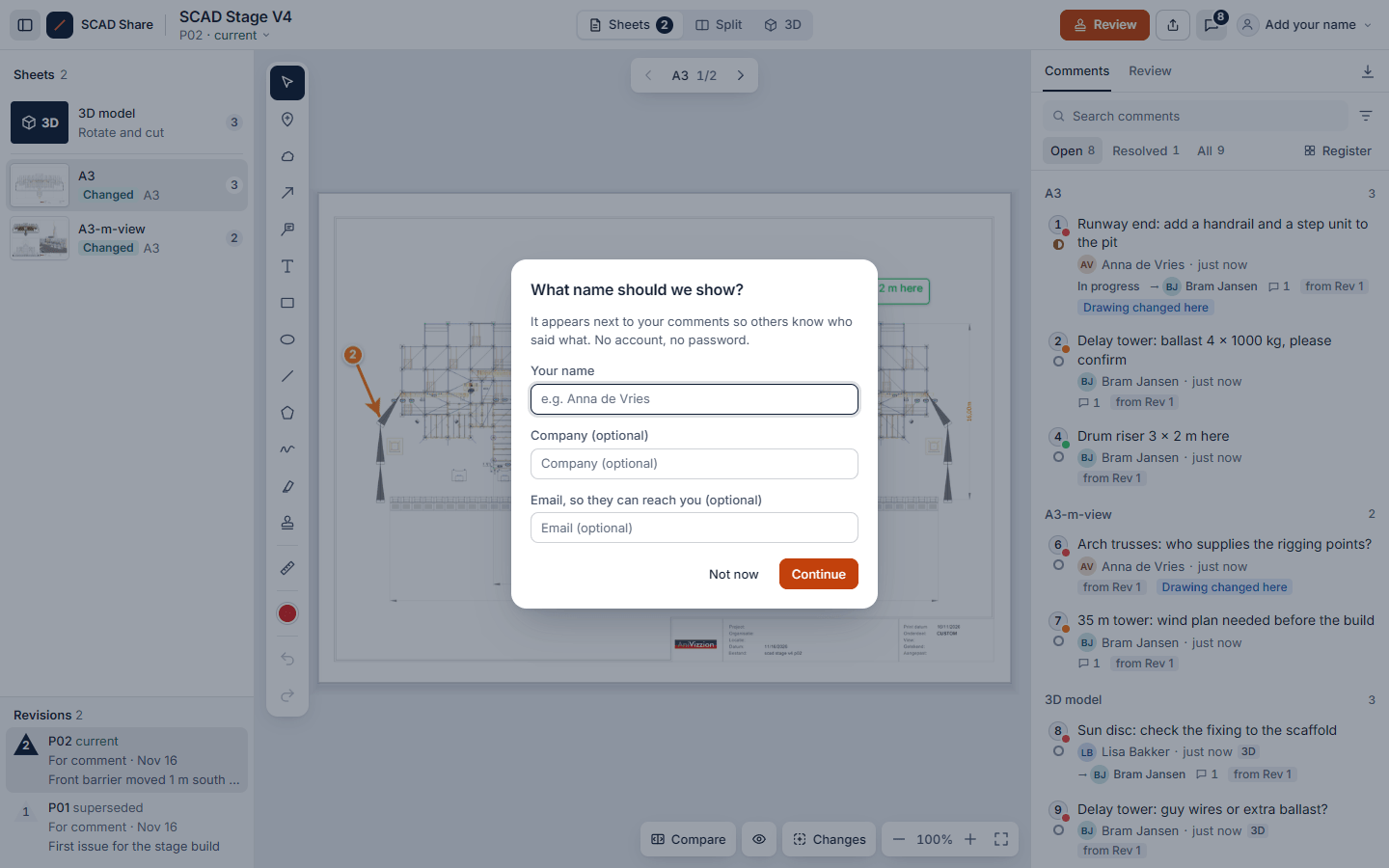
- Your name is required (1–60 characters). Company and Email are optional and appear on your first join only. If you add an email, you get a confirmation mail for notifications.
- Choose Continue to join, or Not now to keep reading. Esc also closes the box.
- Your browser remembers you, so you stay the same person on this device.
- If someone on the share already uses that name, add your company or initials.
If the review reached its limit of people (Most participants, set by the owner), you see This share is not accepting new participants and a Keep looking button.
Your name menu
Click your name at the top right (phones show only your avatar). Before you join it says Add your name.
| Item | What it does |
|---|---|
| Change name | Your earlier markups show the new name. |
| Continue on another device | Shows a QR code and a link. It signs you in as the same person on a second device. It works once, for 15 minutes. |
| Notifications… | Email for replies and mentions. See Replies, mentions & email. |
| My shares, Owner? Sign in | For owners and invited people. See Sharing & owner tools. |
| Light, Dark, Same as system | Theme. |
| English, Nederlands | Language. The page reloads. |
| Issue register | Opens the register. |
| Search everything | Opens the command palette (Ctrl K). |
| Keyboard shortcuts, One-key shortcuts | The key list (?). The checkbox switches the single-letter keys on or off. |
| Help | Opens this help. |
| Delete my data… | See Your data. |
The top bar

| Part | What it does |
|---|---|
| Sheets toggle ([) | Opens or closes the left panel with sheets and revisions. |
| Title and revision button | The drawing name, and the revision you look at, for example P02 current. Click it for the list of revisions. |
| Sheets / Split / 3D | Only shown when the revision has a 3D model and the owner allows it. See 3D view. |
| People here now | Avatars of the people who have the review open. |
| Saved pill | Shows Saving…, {n} not sent or Offline, changes will not save when there is a problem. |
| View only | The owner switched the link to Can only look. You can read but not write. |
| Review | Opens the Review tab. It shows your own decision once you gave one. The owner sees Review n/m. A closed round shows Round closed. |
| Share | Opens the link, QR code and (for the owner) the people and access settings. |
| Comments (]) | Opens the comment list. The badge counts the open comments. |
Early links
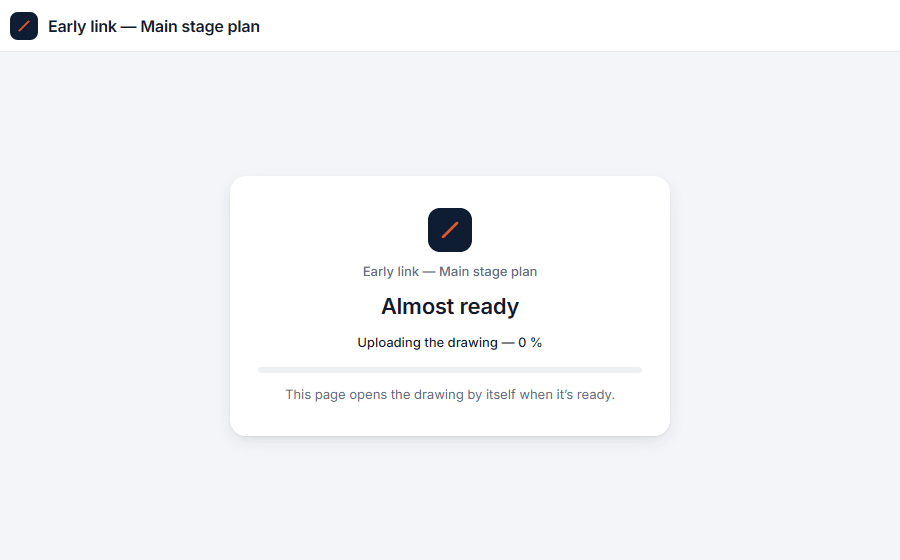
A publisher can send the link before the first sheets are ready. You see an Almost ready card with a progress bar. The drawing opens by itself when it is done.
First-time hint
On your first visit a small card says: pick a tool, click the spot on the drawing and type what you want changed. Choose Got it to close it.
Deep links
The address always shows where you are (revision, sheet, view). Copy it to send a colleague to the same spot. Use Copy link to this comment to point to one comment. If that comment is on an earlier revision, a message says so. If it was deleted, a message says it is no longer there.