Sharing & owner tools
Share the link, invite people, set access, and close out the project.
Share the link
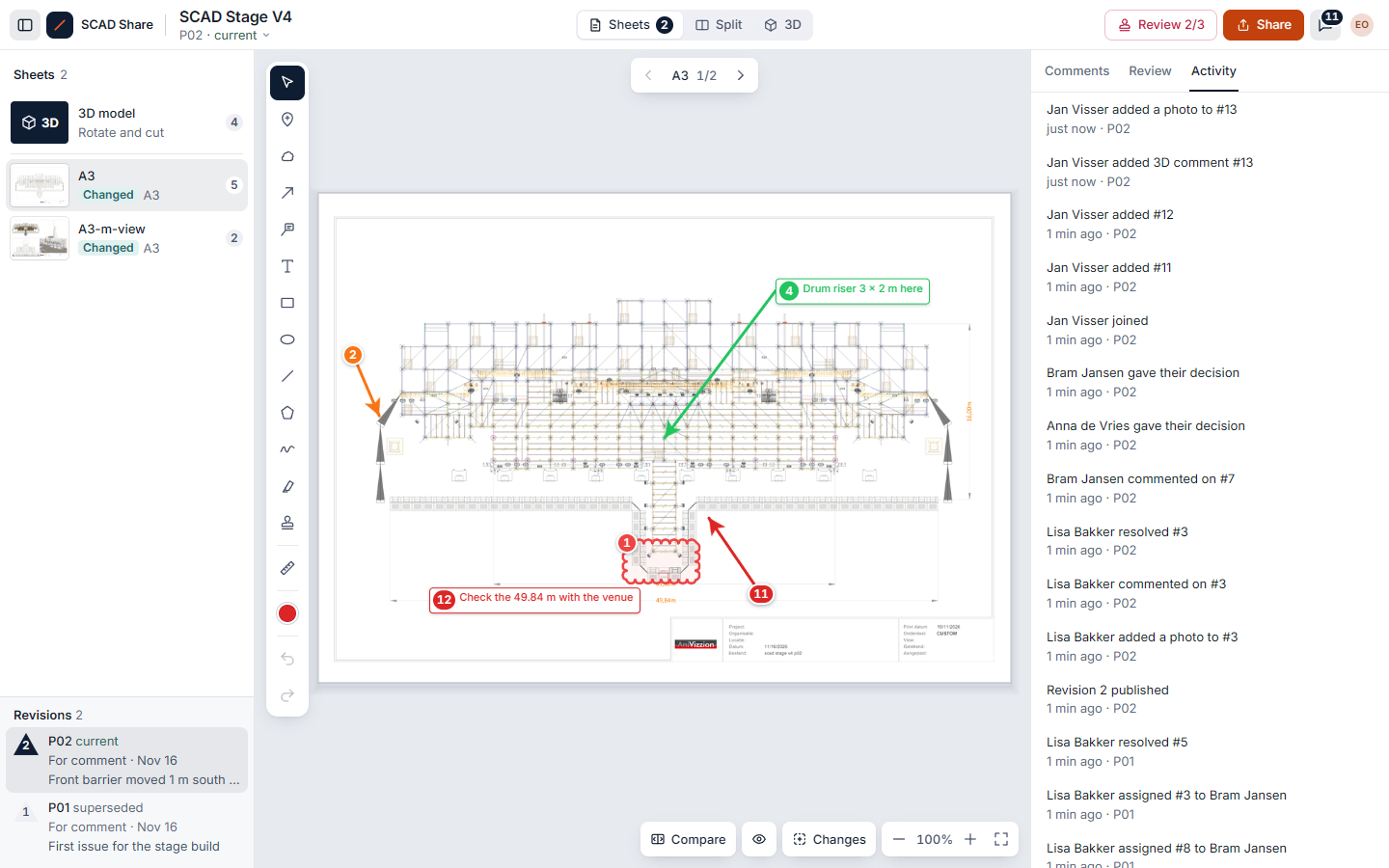
Click Share in the top bar. Everyone sees the link with Copy link, the date it works until, and a QR code for phones. The owner sees more, in three tabs.
Become the owner
You are the owner when you sign in with your SCAD Share account (email and password) at share.scad.events/my. Open any share from My shares. On a review link, use Owner? Sign in in the name menu or on the passcode, paused and invitation screens. The name menu then shows your name with · owner. A co-owner works under their own name. Forgot your password? Use Forgot password? on the sign-in page.
People tab
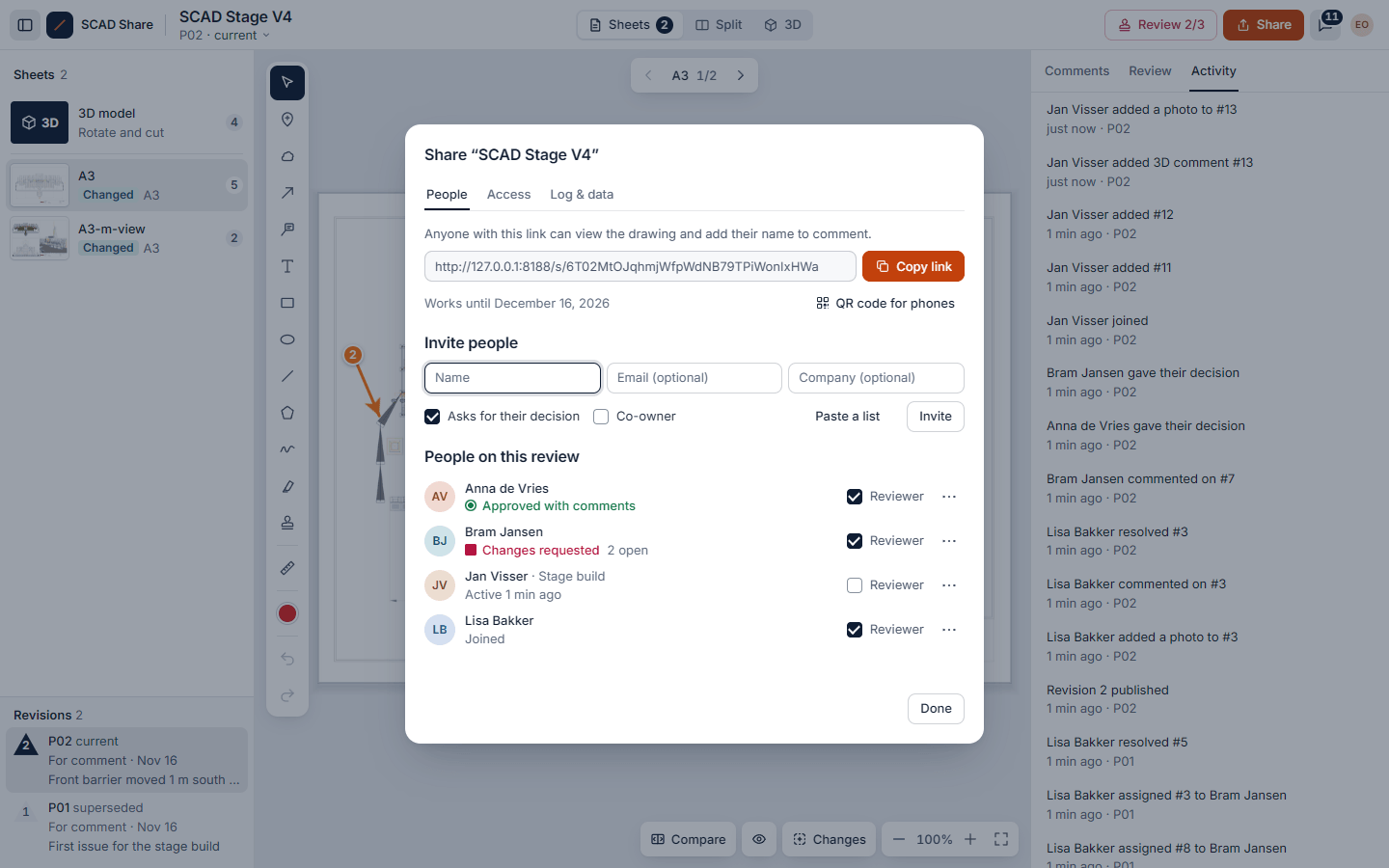
- Invite people: Name, Email (optional), Company (optional), then Invite. The app shows the personal link, or sends it by email.
- Asks for their decision is ticked by default and makes the person a reviewer. Co-owner can invite, close rounds and hand over.
- Paste a list invites many at once: one person per line, like
Eva Smit <eva@acme.nl>, Acme. - People on this review shows each person with their decision or last activity, and their open and late comments. The Reviewer tick on each row decides who counts in the tally. A menu per person has Make a personal link (for people who joined on the open link), New personal link, Send a reminder (only for invited people with an email), End access… (you choose who takes over their open items), Restore access and Erase this person….
Access tab
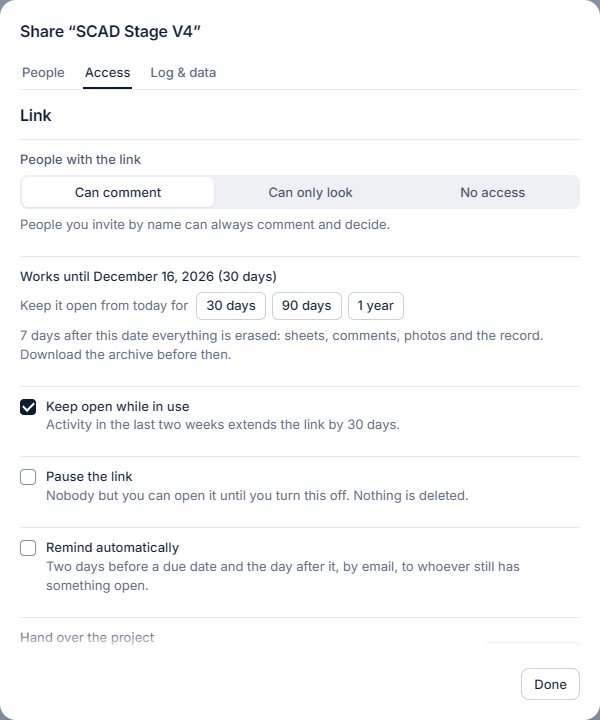
- People with the link: Can comment, Can only look or No access. With No access the plain link stops at once. People invited by name keep their own link and can always comment and decide.
- Works until: under Keep it open from today for choose 30 days, 90 days or 1 year. The new end is the later of the current end and today plus that time. This never shortens the link. 7 days after the end, everything is erased.
- Keep open while in use: when someone writes in the last 14 days before the end, the end moves to today plus 30 days. Pause the link lets only you open it. Nothing is deleted. Remind automatically mails everyone who still has something open (reviewers without a decision and assignees with open items), 2 days before a due date and the day after it.
- Passcode: 4 to 128 characters. A new passcode locks out everyone else until they enter it.
- Allow the 3D model, Require a confirmed email to add markups, and Most participants.
- Hand over the project: Hand over… freezes the share. Everyone can read and export. Nothing can change. You choose how long to keep it and can Undo handover later.
- Reset the link: Reset link… gives a new link. The old one answers Link not found. You can also end all personal links and sign everybody out.
Log & data tab
- Download the archive gives a zip with all revisions, markups, the register, decisions and activity. Download it before the link ends.
- Access log: who joined, opened the 3D model, exported, or entered a wrong passcode. One entry per person per day, no IP addresses.
- Erase this share…: type
ERASEto remove everything at once. This cannot be undone.
Other owner tools
- Any status and any assignee on any comment. Delete other people's markups, replies and saved views.
- The Activity tab: who joined, added, replied, assigned or resolved, newest first. Click a row to jump to it. (On a phone it is in the name menu.)
- Review controls: close a round, set the revision code, issued-for, note and due date. See Review & sign-off.
- Carry actions and register actions. See Revisions: compare & carry and Issue register.
- The chip Link paused shows while the link is paused. It opens the Access tab.
My shares
At share.scad.events/my you see a table of your shares: state, open comments, people, size, last activity and expiry date. Use the row menu to copy the link, extend it, pause or resume it, set a passcode, or remove the share. A removed share can be restored for 3 days. Account changes your password or signs you out.