Comments & workflow
The Comments panel lists every comment, and tracks who does what until it is resolved.
Open the panel with the speech-bubble button (]). The badge counts the open comments.
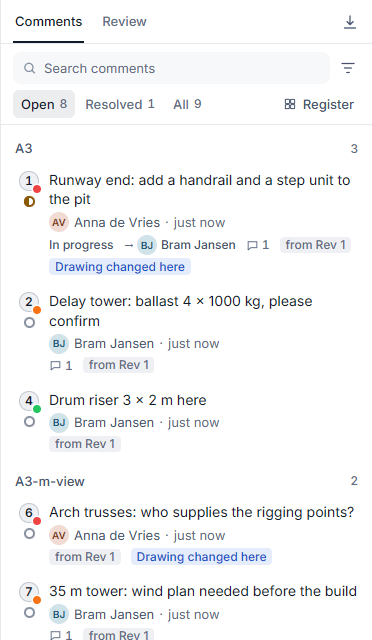
Find comments
- Search comments (/) searches text.
- Open / Resolved / All filters by status. It starts on Open. Each tab shows a count.
- On me appears when something open is assigned to you. It also shows how many are late.
- Register opens the Issue register.
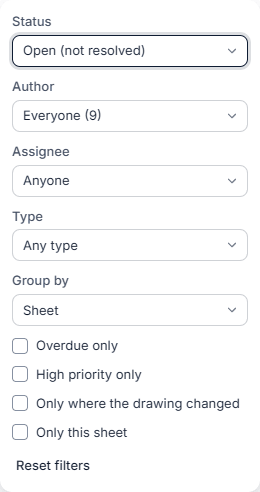
The filter button (More filters) adds:
- Status: Open (not resolved), All statuses, Open, In progress, In review, Resolved.
- Author, Assignee and Type (Action, Question, For information).
- Group by: Sheet (the default, 3D model last), Who has it, Who wrote it or Newest first.
- Checkboxes: Overdue only, High priority only, Only where the drawing changed, Only this sheet, Assigned to me.
- Reset filters clears all.
The list
- Each row has a numbered balloon, a status mark, the text, the author, the time, and the sheet (or a 3D tag).
- Extra facts show when they apply: the status, → assignee, reply count, photo count, the due date (red when late), a chip such as from Rev 1 (with #n when the number changed) for a carried comment, and Drawing changed here.
- The tick at the end of a row resolves or reopens the comment, when your rights allow it.
- Click a row to open its detail. The sheet opens and the markup is highlighted. A 3D comment opens the 3D view.
- Above the list, {n} open on earlier revisions offers Show (opens the register) and, for the owner, Bring here.
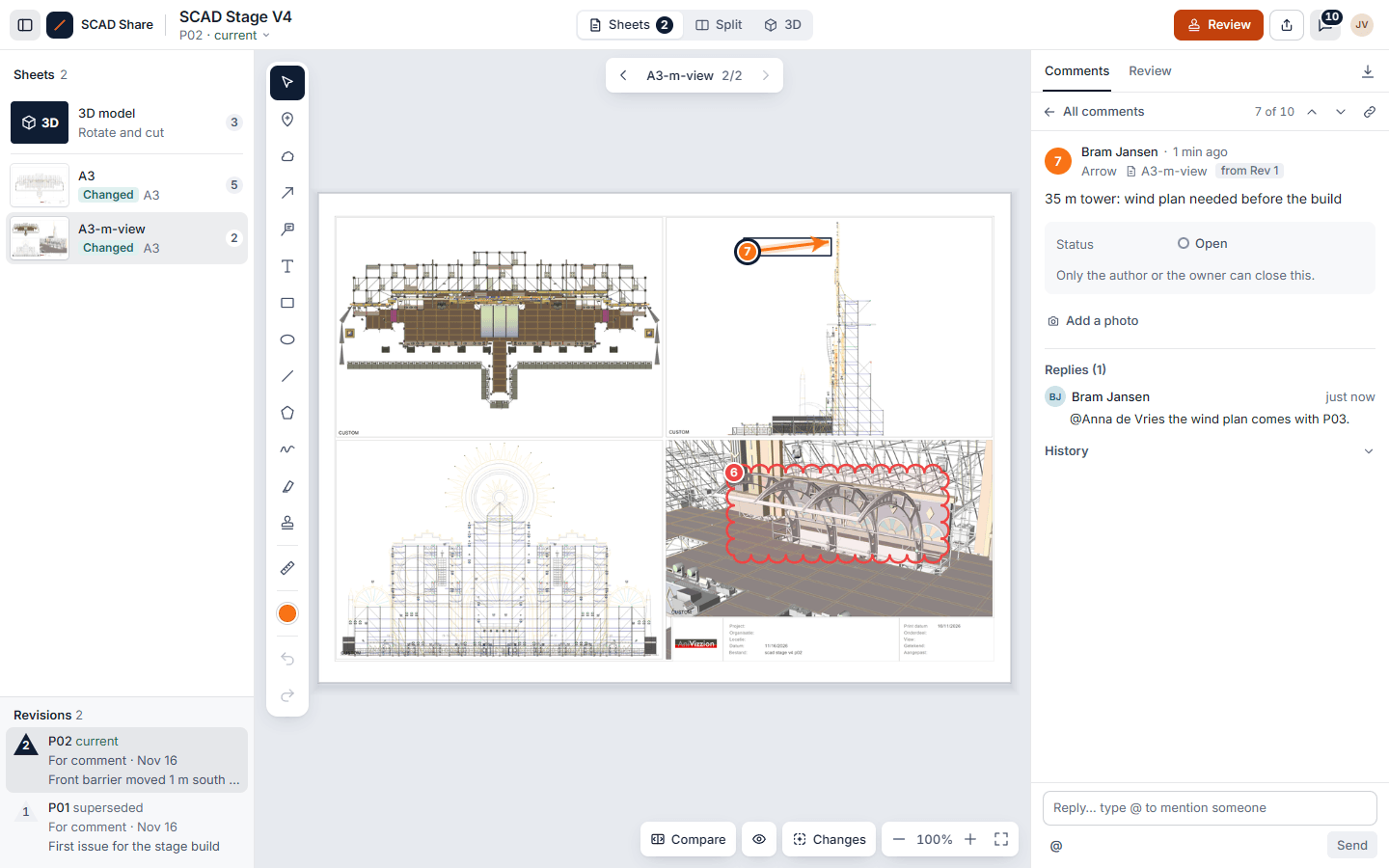
One comment in detail
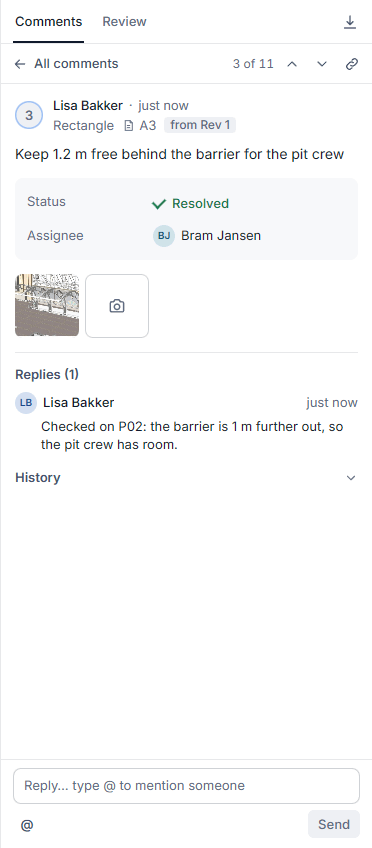
- The header has All comments (back), the position (3 of 12), previous and next (K J) and Copy link to this comment.
- Edit or Add a comment is for the author. Ctrl Enter saves.
- Status, Assignee, Due, Type and High priority are fields in the detail.
- Photos: Add a photo or paste a screenshot. JPEG, PNG or WebP, up to 10 per comment, 15 MB each.
- History lists who created, moved, assigned and replied.
- A comment keeps its number on every revision, so an issue has one number for its whole life.
Status and assignee
| Status | Meaning |
|---|---|
| Open | New. Nobody has started. |
| In progress | The assignee works on it. |
| In review | Work done. The person who raised it checks. |
| Resolved | Done. |
Buttons in the detail: Start work, Send for review, Approve and resolve, Resolve, Reopen, Back to open. Resolve asks What was done? (optional). You can also choose Close, no action. A toast says #n is now {status} with Undo.
| You are… | You can… |
|---|---|
| Owner | Move any comment to any status and assign anyone. |
| Assignee | Open → In progress or In review. In progress → In review or back to Open. |
| Author | Open → Resolved. In review → Resolved (Approve and resolve) or Open. Resolved → Open. The author and the owner can assign. |
| Anyone else | Read, filter, reply and add your own comments. |
A person can hold several roles. Only people who joined (and the owner) can be assigned. A due date, type or priority needs the owner, the author or the assignee. When you cannot act, a line says why (for example Only the author or the owner can close this.).
Export
The export icon at the top of the panel (Export comments) opens the menu. You need to have added your name.
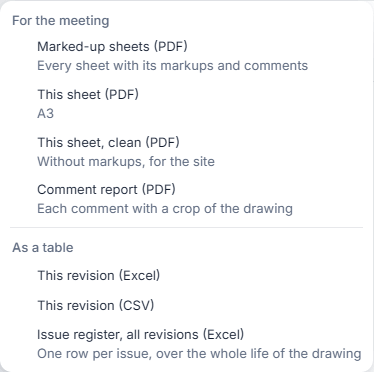
| Group | Item |
|---|---|
| For the meeting | Marked-up sheets (PDF): every sheet with markups and comments |
| This sheet (PDF) | |
| This sheet, clean (PDF): without markups, for the site | |
| Comment report (PDF): each comment with a crop of the sheet | |
| As a table | This revision (Excel) |
| This revision (CSV) | |
| Issue register, all revisions (Excel) |
Exports never contain the review link, email addresses or the CAD drawing.
Edits by two people at once
If someone changed the same comment just before you, you see That comment was changed by someone else. Reloaded the latest. Look at the update and try again.