Phone & tablet
The same review on a narrow screen: a bottom bar and drawers.
On screens narrower than about 860 pixels the top bar shrinks to the title, the revision, the Sheets / 3D switch and your avatar. A bottom bar takes over.
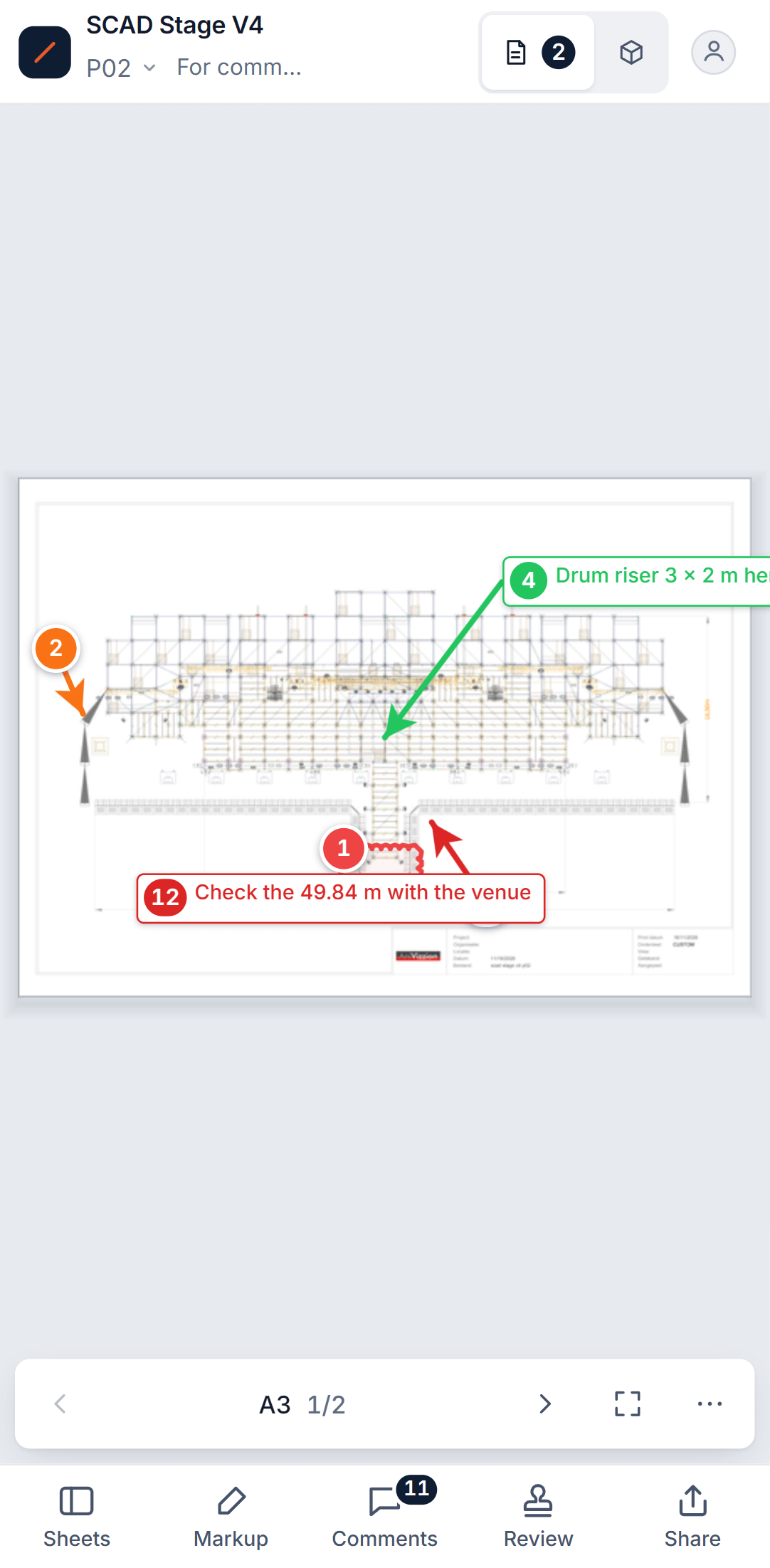
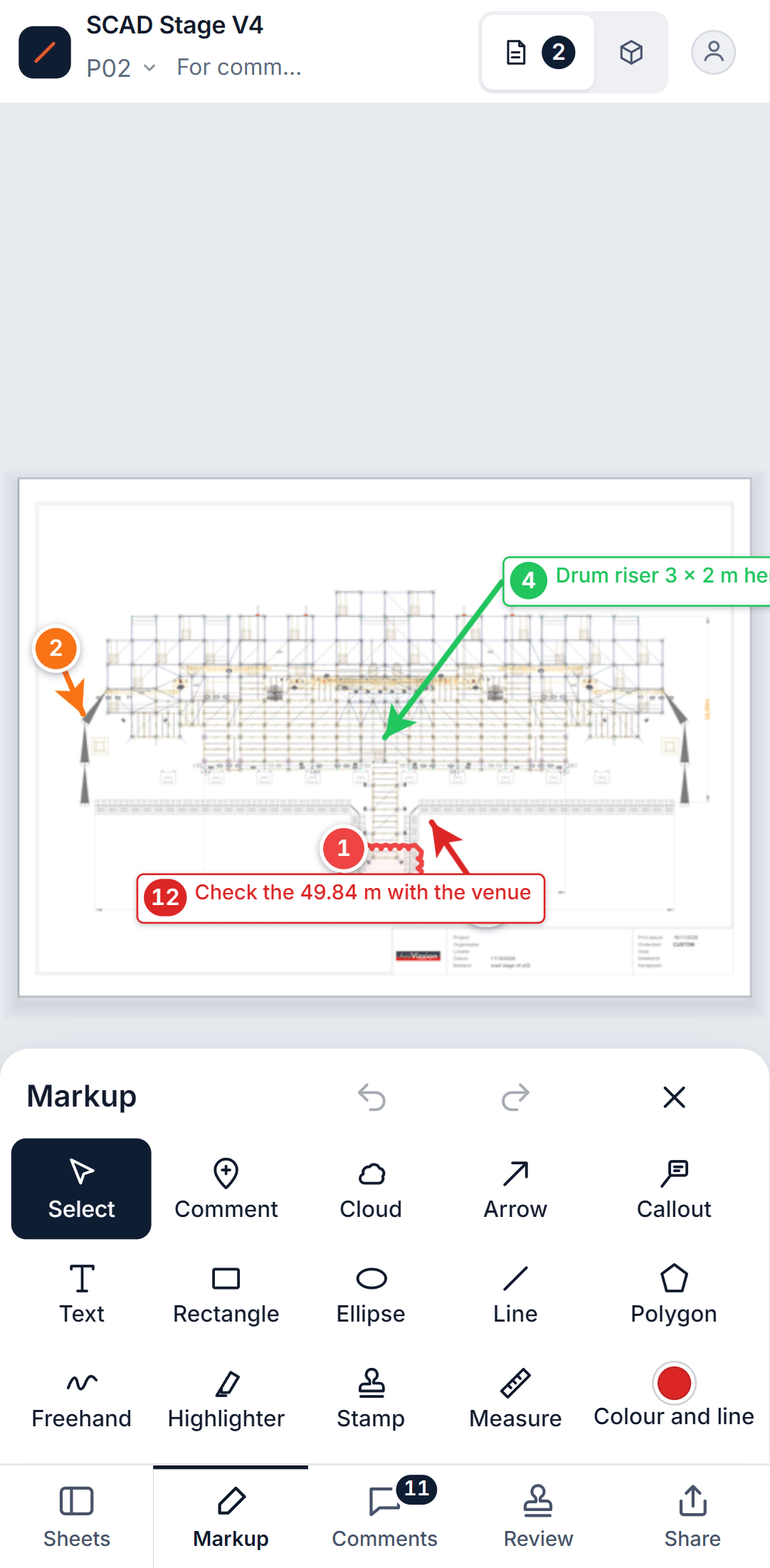
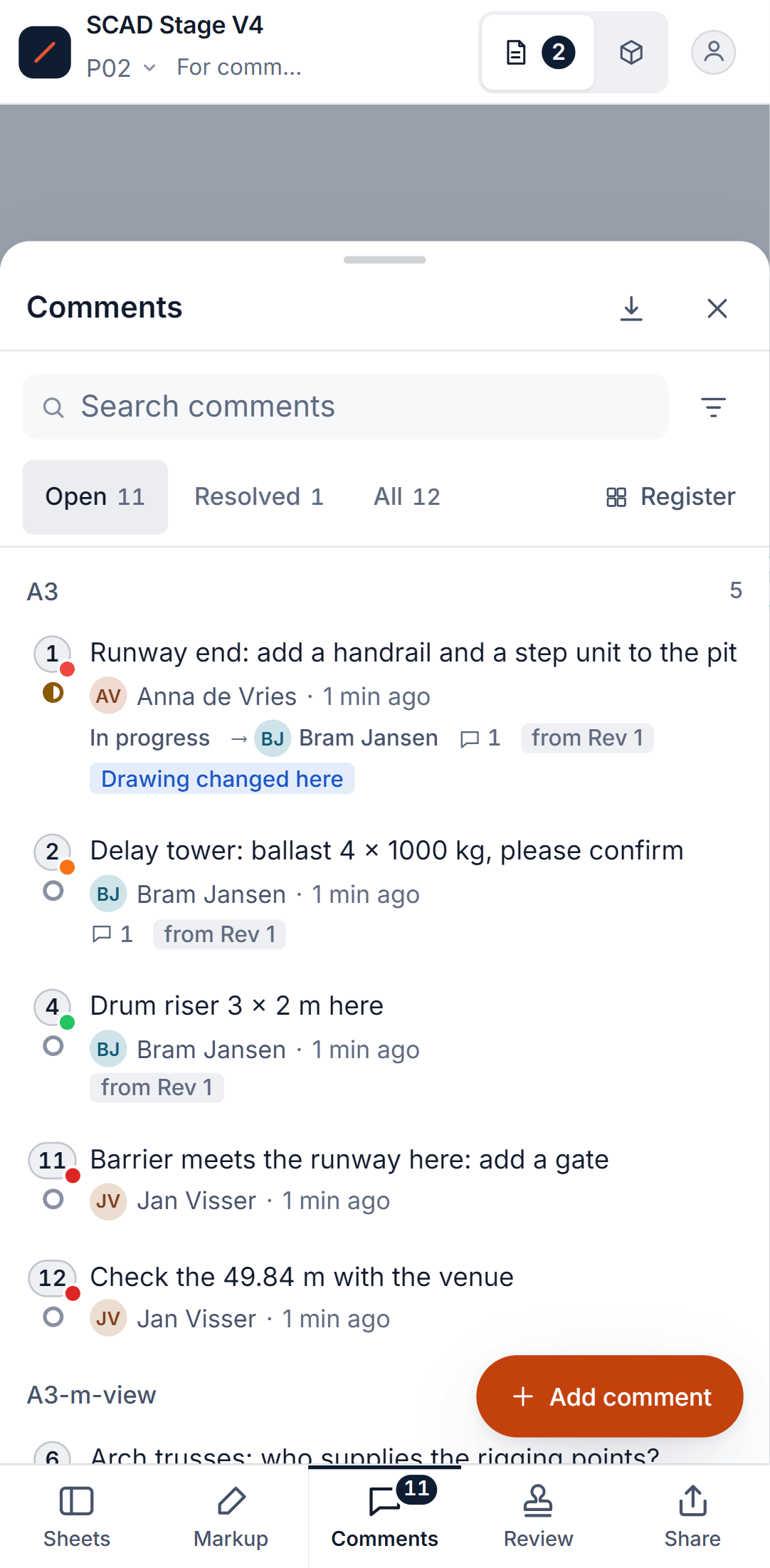
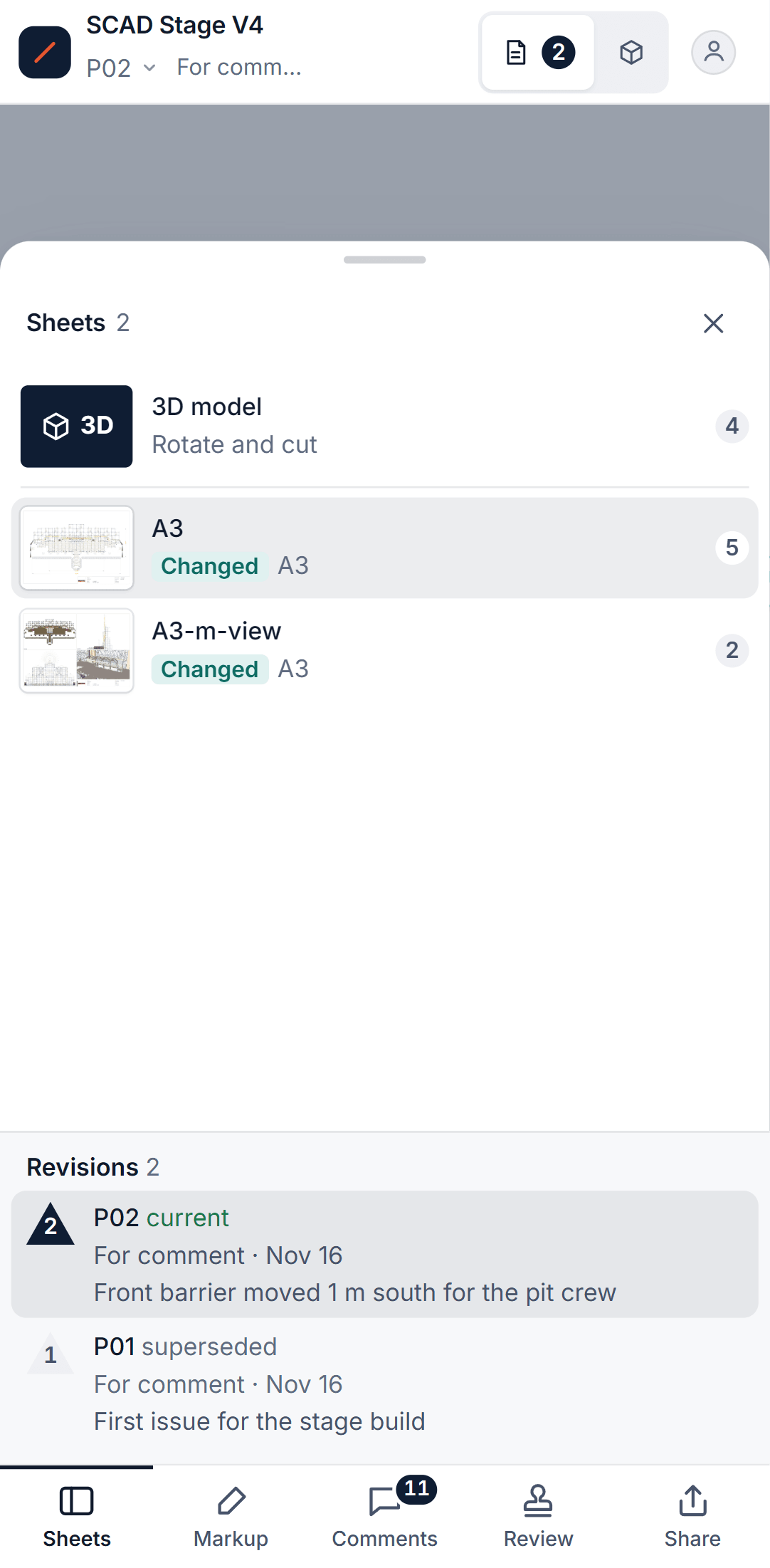
| Bottom bar | What it does |
|---|---|
| Sheets | The Sheets drawer with sheets and revisions. |
| Markup | The tool sheet. Pick a tool, then tap the drawing. A floating Undo button appears. |
| Comments | The Comments drawer. The badge counts open comments. |
| Review | Your decision. See Review & sign-off. |
| Share | The link, QR code and owner tools. |
- Only one drawer is open at a time. Tap the dark area or Close panel to close it, or drag the grabber down. Picking a sheet or a comment closes it. The browser Back button closes whatever is open.
- After one markup the tool goes back to Select. Double-tap a tool to keep it on until you tap Cancel. Hints say “Tap”. Pinch to zoom and drag to pan.
- Next to the sheet name: Fit sheet to window and More for this sheet (Compare revisions, Show what changed, Hide markups).
- Add comment in the Comments drawer closes the drawer and arms the comment tool.
- There is no Split view. In the 3D view, Markup arms the 3D comment tool. A 3D comment opens the model full screen.
- The owner finds Activity in the name menu.
- 3D needs WebGL. Otherwise you see This browser cannot show 3D (WebGL is not available).