For publishers
A short note on how a review link comes about. The web app is the focus of this help. The SCAD Re-Event side has its own tools.
Sign in
Publishing needs a SCAD Share account. Open the panel (SCADSHAREPANEL) and create the account once: enter your email address, type the 6-digit code from the mail, and choose a password (10 to 128 characters). Then sign in with email and password, in SCAD Re-Event and on share.scad.events/my. Forgot the password? Use Forgot password.
Make a link
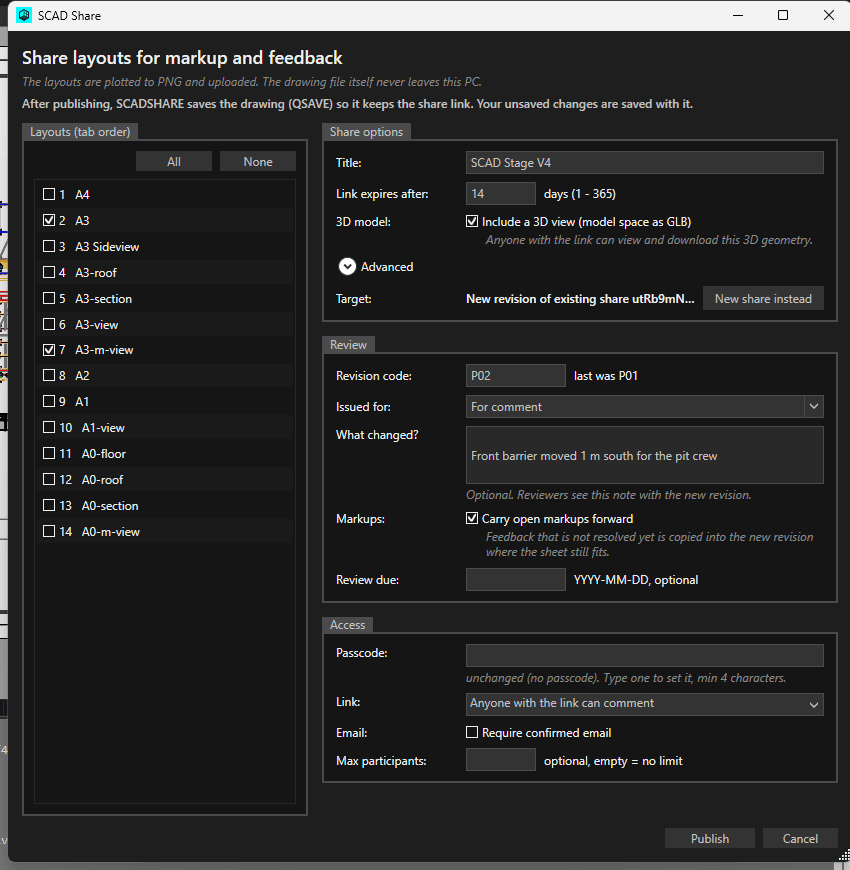
- In SCAD Re-Event run
SCADSHARE. - Choose the layouts to share, a title, and how many days the link stays valid.
- Optionally tick Include a 3D view (off by default). Reviewers can view and download that geometry.
- Choose whether open comments of the previous revision are carried to the new one.
- SCAD Re-Event prepares the sheets and uploads them. The link works at once. Reviewers see Almost ready until the sheets arrive.
New revisions
Run SCADSHARE again on the same drawing to publish a new revision to the same link. The previous revision becomes superseded and read-only. Comments stay on the revision they were made on, unless they are carried. Set the revision code, Issued for, What changed? and Review due in the SCADSHARE dialog, or later in the Review tab. See Review & sign-off.
Access and panel
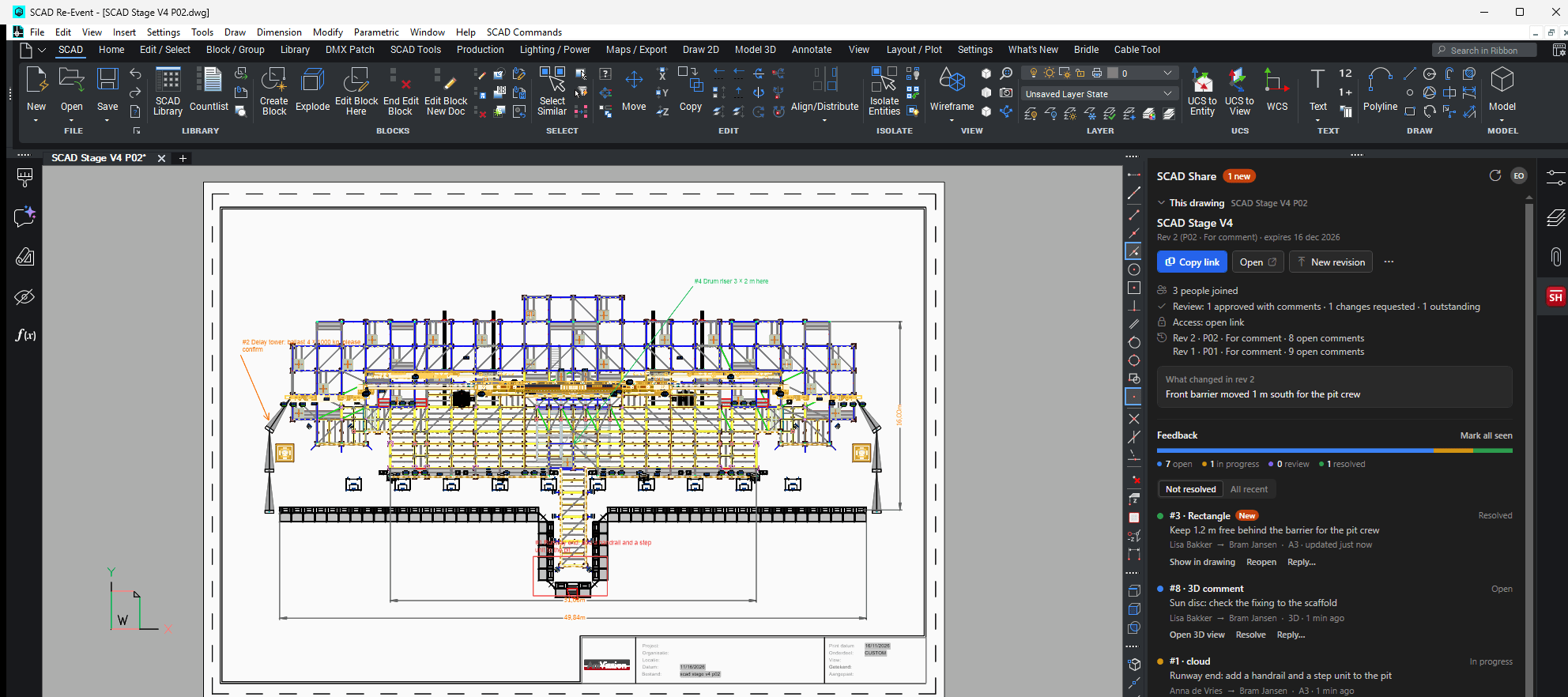
Passcode, Can only look, confirmed email and the limit of people are set in the SCADSHARE dialog, or later in the Share dialog of the review. SCADSHAREPANEL opens the SCAD Share panel next to the drawing: the share of this drawing with Copy link, Open and New revision, the review status, and the open comments with Show in drawing, Resolve and Reply…. It also lists all your shares and has Erase share….
Feedback inside the drawing
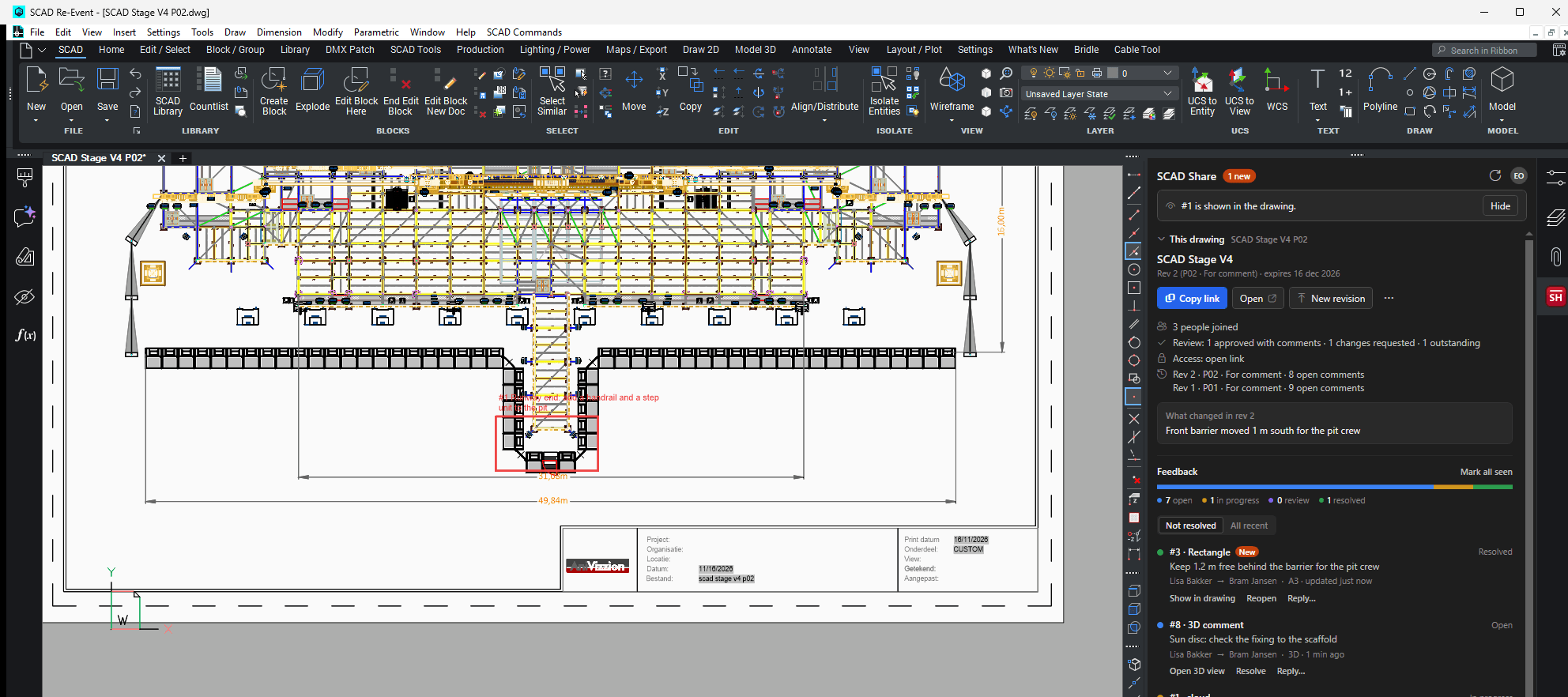
- Show in drawing in the panel zooms to the spot of a comment and outlines it on screen. Nothing is added to the drawing; Hide removes the outline.
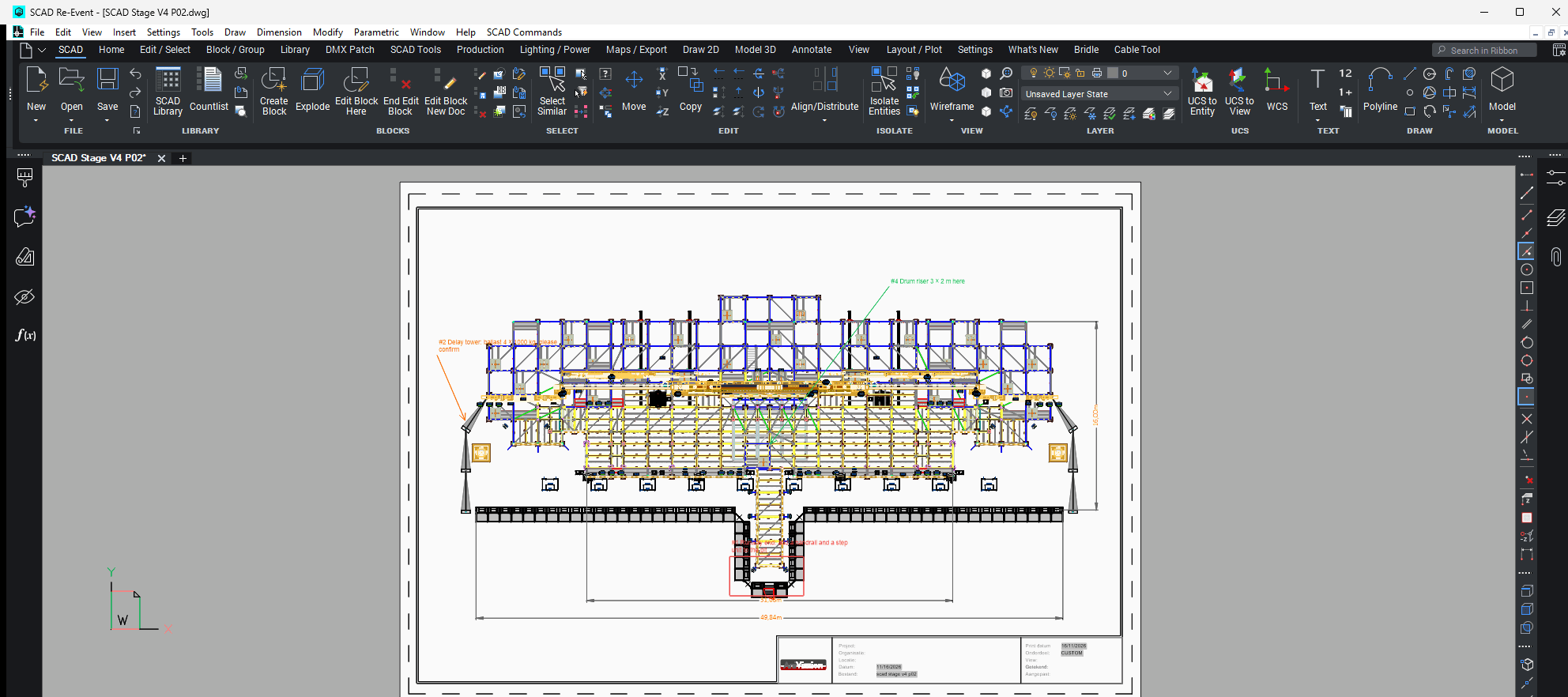
SCADSHAREMARKUPSdraws all open markups of the current revision into your layouts, on the layer SCAD_SHARE_MARKUPS, which is not plotted. Run it again and choose Clear to remove them. 3D comments have no place on a sheet, so they are left out.
Both need a revision published with this version of SCADSHARE: it sends where each sheet sits in the drawing.
- Send the link only to the people who should review. For sensitive drawings set a passcode, or invite people by name.
- Keep your account password private.